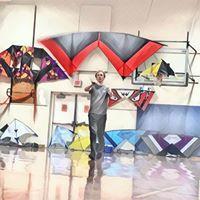
November 18, 200916 yr comment_23226 Got my video finished from Camas, WA indoor kite festival! http://www.youtube.com/view_play_list?p=D8499F023136E90C Report
November 18, 200916 yr comment_23227 WoW, Crazy (I always like your quicker routines) job Spence. Thanks for going to the time to post all those vids. Now back to watch some more of them :-) Report
November 21, 200916 yr comment_23231 Effortless beauty!! Thanks for sharing the video!! When I watched the video I had to laugh, the distance between my flying and what I was watching falls into the realm of humor. It’s like when I look at these two little weights I got with my Rev...they make me laugh, too! Thanks for sharing! Keep It Up! Duane PS Are you related to Tristan? Report
November 21, 200916 yr Author comment_23232 PS Are you related to Tristan? Haha! No, no relation. lol Report
December 14, 200916 yr comment_23410 Verrrrrry Nice, Watty! Somehow I totally missed this video when you had posted it. :/ Report
December 14, 200916 yr comment_23411 Good vids all around Watty, thanks. Here's my personal favorite from that weekend, I think it didn't make it onto your camera... Report
December 14, 200916 yr comment_23414 I just can't get over how great the computer simulations are with Tristian! AMAZING!! Keep It Up! Duane Report
December 14, 200916 yr Author comment_23416 Good vids all around Watty, thanks. Here's my personal favorite from that weekend, I think it didn't make it onto your camera... Yea, I only recorded the Competitions, and I even missed some of them XD Report


Join the conversation
You can post now and register later. If you have an account, sign in now to post with your account.