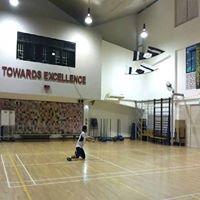
June 21, 201214 yr comment_31889 Name: Flying a 2-Stack Indoor Rev (And discovering some new "tricks") Category: Indoor Flying Date Added: 21 June 2012 - 06:07 AM Submitter: lasapcheong Short Description: 2-Stacked Indoor Rev Here's a short video of a 2nd time out flying a 2-stack Revolution Indoor Rev. 6 stack lines this time, tuning still in progress. Handle in mouth one handed flying, reverse up and overs, flying sitting down (briefly), catch and throws are all surprisingly within reach. Thanks to Jimson for the video and special thanks to Tampines Changkat Kite Flying Interest Group for the invite. Kite: Custom 2-Stack Revolution Indoor Rev Line: 12ft x 100LB Skybond Location: Poi Ching Secondary School, Tampines Singapore Camera: Jimson Aka-kaiquan Date: 25 February 2012 View Video == NOTE: This is an embedded video from one of the video sharing web sites (i.e. YouTube) and may not be the submitter's original creation, as videos are often shared or posted (embedded) due to popularity... To see the original uploader of the video, just click the logo (i.e. YouTube) in the corner of the video while it's playing. Report


Join the conversation
You can post now and register later. If you have an account, sign in now to post with your account.