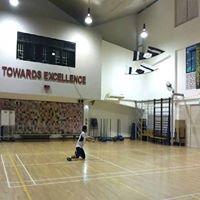
June 21, 201214 yr comment_31890 Name: Singapore Indoor Kite Festival 2012 - CTC's Indoor Rev Routine Category: Indoor - Individual Date Added: 21 June 2012 - 06:04 AM Submitter: lasapcheong Short Description: CTC's Indoor Rev routine to a slowed down version of XX's Intro Here's me flying an Indoor Rev Routine to "Intro" by the band XX for the Singapore Indoor Kite Festival 2012 organised by ACT3 International. The original version of the song is actually a little bit too fast in my mind so I found a slowed down remixed version and the resulting tempo seems just about right for the routine. I think I've locked down one song I can use for now. Location: HDB Hub, Toa Payoh Singapore Artiste: XX Song: The XX - Intro (Drunk On Love Remix) Camera: Edy Sinwan (Thanks!) Date: 6th October 2012 View Video == NOTE: This is an embedded video from one of the video sharing web sites (i.e. YouTube) and may not be the submitter's original creation, as videos are often shared or posted (embedded) due to popularity... To see the original uploader of the video, just click the logo (i.e. YouTube) in the corner of the video while it's playing. Report


Join the conversation
You can post now and register later. If you have an account, sign in now to post with your account.