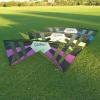
May 15, 201313 yr comment_35398 I got a chance to fly my Zero G at dusk. Snapped these pictures on my iPod. What do you think? Report
May 15, 201313 yr comment_35401 Since I got my ZG I look forward to the evening calm & like to fly in the twilight. Morning twilight here in Virginia now & I can see the branches of the sugar maple tree shimmering in the breeze. When the sun lights up a kite you are flying it is a wonderful sight. Report
May 15, 201313 yr comment_35402 Nice shots... I always like the way the kites look right by the sun. Can't be too good for the eyes, though. Report
May 15, 201313 yr comment_35411 I think I saw it glider geeks yesterday, really good video of one gliding, Report
May 16, 201313 yr Author comment_35423 Sweet!Pairs gliding soon.... Ready anytime you are Bro. Wind or Not, we can fly at every Meet now. Since I got my ZG I look forward to the evening calm & like to fly in the twilight. Morning twilight here in Virginia now & I can see the branches of the sugar maple tree shimmering in the breeze. When the sun lights up a kite you are flying it is a wonderful sight. Well Said. Sun and Moon shots can be great. I also like flying the Zero-G when it is almost too dark to see. Nice shots... I always like the way the kites look right by the sun. Can't be too good for the eyes, though. Thanks. Honestly It was dificult. The Sun was so much brighter to me than the picture shows. I really want one of those. Nice pics Thanks dude. You should, they are really nice kites. The Plutz 3 is a sweet kite too Very nice shots, WA ............ Thanks Dude, they came out great for an iPod. Report


Join the conversation
You can post now and register later. If you have an account, sign in now to post with your account.